
The notification that broke the camel’s back
It happened last Tuesday. I was deep into a listening session—specifically, the new remaster of a Radiohead track that dropped recently—when my phone buzzed. A Slack notification. Then an email. Then a “news” alert about something totally irrelevant. By the time I swiped them all away, the mood was gone. The immersion? Shattered.
That was it. I was done renting my music on a device designed to interrupt me every thirty seconds.
I dug into my junk drawer (we all have one) and pulled out a scratched-up iPod Video (5.5th generation, for the nerds keeping score). It wouldn’t turn on. The hard drive clicked like a Geiger counter. The battery was probably a fire hazard. But holding that cold stainless steel back felt… correct.
If you’ve been lurking on the forums lately, you know I’m not the only one doing this. The “iPod revival” isn’t just nostalgia bait. It’s a full-blown technical rebellion against the subscription economy. And in 2026, the modding scene has reached a level of maturity that makes these 20-year-old bricks surprisingly viable daily drivers.
It’s not just about nostalgia (mostly)
Let’s get the obvious out of the way: yes, the click wheel is satisfying. It’s the best interface Apple ever made. Fight me.
But the real reason people are paying exorbitant prices for “broken” iPods on eBay right now isn’t just to look retro. It’s about control. When you put music on this thing, it stays there. No licensing disputes removing your favorite albums. No algorithm pushing “Chill Lofi Beats” when you want Death Metal. No UI updates that hide your library behind three sub-menus.
Plus, the repairability factor is off the charts. Try opening a modern smartphone without a heat gun and a prayer. With an iPod Video or Classic, all you need is a thin metal spudger and a bit of patience. Okay, maybe a lot of patience if you’re dealing with the 6th/7th gen metal clips—those things are brutal—but it’s doable.
The Build: Modernizing a relic
I decided to go all in. I wasn’t just going to restore it; I was going to modernize it. The goal? A device that looks stock but runs like it’s from 2026.
1. The Storage Wars
The original spinning hard drives are trash. They’re slow, they skip if you run for a bus, and they drain the battery. I grabbed an iFlash-Quad board. This little PCB lets you slot in four micro-SD cards. I had a couple of 512GB cards lying around from a camera upgrade, so I slapped them in.
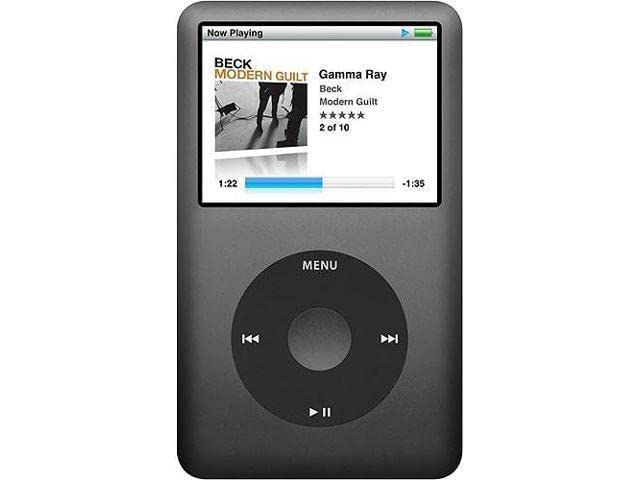
1TB of storage in an iPod. Do you know how much music that is? I don’t even own that much music, and I’ve been ripping CDs since 2004. The sync took forever—USB 2.0 speeds are a harsh reality check—but once it’s on there, the interface is snappy. No lag. No buffering.
2. The Battery Situation
Since I ditched the thick mechanical drive, I had a massive cavity inside the case. I could have gone for a thin backplate to make the device slim, but I went the other way. I kept the thick back and stuffed a 3000mAh battery in there.
Stock battery life was maybe 14 hours back in the day? With the efficiency of flash storage and this monster cell, I’m getting weeks of standby and days of playback. I literally forget to charge it.
3. The USB-C Mod
This is where things got tricky. I hate the 30-pin connector. I lose the cables constantly. So, I decided to do the USB-C mod.
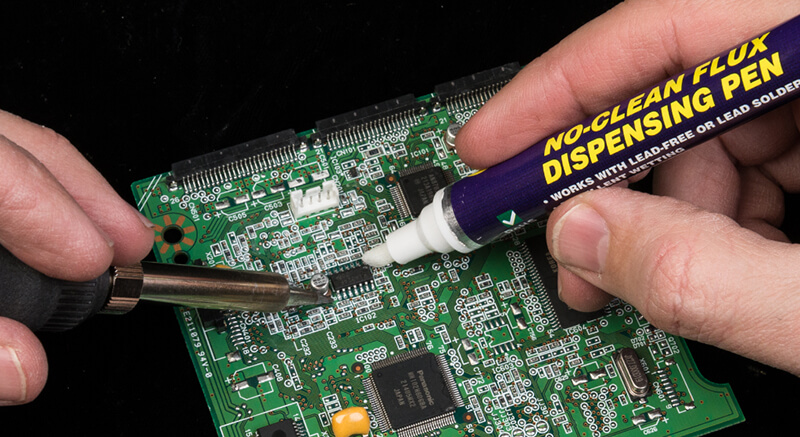
I won’t lie—my soldering skills are rusty. I burned my finger twice. The pads on the logic board are tiny, and lifting the old connector without ripping the traces requires a steady hand I apparently don’t possess after three coffees. I eventually cheated and bought a pre-soldered backplate kit from a guy in the UK.
Worth it? Absolutely. Charging my iPod with the same cable I use for my laptop feels illegal in the best way.
4. Haptic Feedback
Here’s a mod that doesn’t get enough love. The “Taptic” mod. You replace the piezoelectric clicker (which just makes a beep sound) with a tiny vibration motor, usually harvested from an old iPhone 7 or bought as a kit. Now, when I scroll, I feel physical clicks. It adds a tactile weight to the UI that makes the whole device feel premium.
The Software Dilemma: Stock OS vs. Rockbox
This is the religious war of the community.
Stock OS: It’s clean. It works. It handles the Wolfson DAC (Digital-to-Analog Converter) properly without tweaking. But it hates FLAC files. You have to convert everything to ALAC (Apple Lossless), which is a pain in the neck if your library is already established.
Rockbox: It’s ugly out of the box. Like, “Linux in 1998” ugly. But it plays everything. FLAC, OGG, WAV, you name it. It has a parametric EQ that puts modern apps to shame. And the themes (“WPS” or While Playing Screens) have gotten really good lately. There’s a theme called “FreshOS” that looks surprisingly modern.
I stuck with Rockbox. I need my drag-and-drop file transfer. Dealing with iTunes (or “Music” or “Devices” or whatever Apple calls the sync interface this week) is a circle of hell I refuse to enter. With Rockbox, the iPod is just an external drive. I drag a folder over. I play it. Simple.
The Wolfson Mythos
You’ll hear people raving about the “warmth” of the Wolfson WM8758 DAC in the 5.5th gen. Is it real? Or is it placebo?
I A/B tested it against a standard USB-C dongle DAC connected to my phone. Using a pair of Sennheiser HD600s (yes, the iPod drives them okay-ish, though an external amp helps), the difference isn’t night and day. But there is a difference. The iPod sounds… rounder? Less sterile. Maybe it’s the output impedance. Maybe it’s the nostalgia distorting my hearing. I don’t care. It sounds great.
What definitely isn’t a myth is the noise floor. On the original hard drive, you’d hear whirring and clicking in the audio signal during quiet passages. With the flash mod, it’s dead silent. Black background. That alone is worth the upgrade cost.
Mending as a vibe
There’s something to be said about the act of fixing this thing. We treat tech as disposable now. Battery dies? Buy a new phone. Screen cracks? Upgrade.
Taking this 20-year-old gadget, stripping it down to its skeleton, cleaning the logic board with isopropyl alcohol, and rebuilding it with better parts felt like therapy. I polished the front faceplate with plastic polish (Novus 2 is magic, by the way) until the scratches disappeared. I replaced the click wheel with a custom black one to match the U2 Special Edition look, but without the signatures on the back.
It’s personalized. It’s mine. I know every screw in this thing.
Why you probably shouldn’t do this
Look, I love my franken-Pod. But I’m not gonna pretend it’s convenient.
- No Bluetooth: Yes, you can solder in a Bluetooth transmitter, but the shielding on the metal backplate makes the signal garbage unless you cut a window in it or use a plastic back. I stick to wired. It forces me to sit down and listen.
- No Streaming: If you discover music via Spotify’s “Discover Weekly,” you’re gonna have a bad time. You have to hunt for music again. Bandcamp is my new best friend (okay, I used the cliché, sue me).
- Cost: By the time you buy the donor iPod ($60-$100), the iFlash board ($45), the SD cards ($60), the battery ($15), and the new housing ($20), you’re deep in the hole. You could buy a cheap modern DAP (Digital Audio Player) from Fiio or Shanling for less.
But those modern DAPs run Android. They have touchscreens. They have Wi-Fi. They have… notifications.
The beauty of the iPod in 2026 is that it does one thing. It plays music. It doesn’t track my location. It doesn’t serve me ads. It doesn’t tell me my aunt is posting conspiracy theories on Facebook.
It just shuts up and plays the track.
And right now, that silence is the most valuable feature I own.