
I didn’t think I’d be writing about a Wi-Fi chip. Honestly, who cares? Usually, unless your internet is cutting out, the silicon handling your packets is about as interesting as the drywall in your living room. It’s there. It works. Move on.
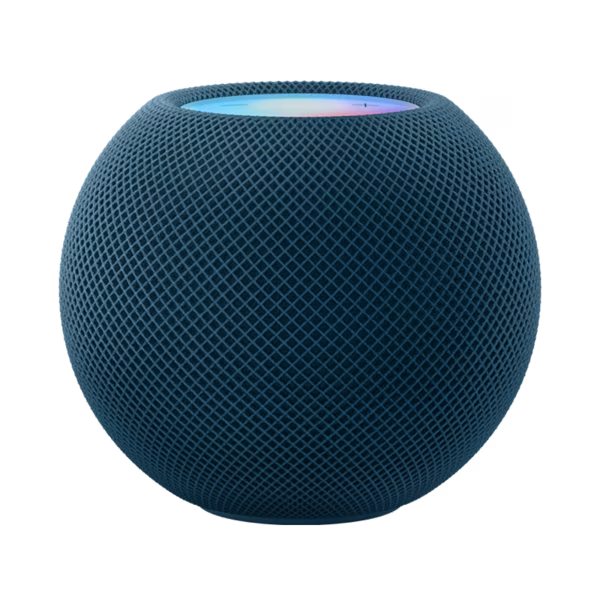
But back in late 2025, when Apple finally shoved Broadcom out the door and dropped their own in-house connectivity silicon into the refreshed HomePod mini (and the Apple TV 4K), I got curious. The rumors had been swirling for years—Gurman called it way back in ’24—but seeing it in the wild is different.
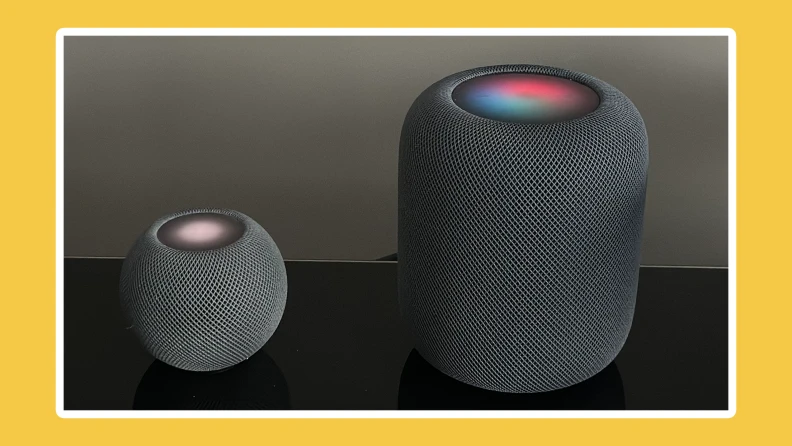
I’ve had the new HomePod mini (let’s call it the Gen 2 for clarity, though Apple just calls it “HomePod mini”) in my kitchen since November. I’ve been running it alongside the original 2020 model. And yeah, I have thoughts. Mostly about how much time I used to waste waiting for AirPlay to wake up.
The “Invisible” Upgrade
Here’s the thing: Apple didn’t give this chip a cool marketing name like “A19 Pro” or “M5 Ultra.” It’s just… the connectivity stack. But under the hood, this is the biggest shift in Apple’s smart home strategy since they killed the original big HomePod and then awkwardly brought it back.
By dumping the off-the-shelf Broadcom modules, Apple tightened the integration between the processor (S-series) and the radio. In theory, this means better power management and lower latency. In practice? It means my music actually starts when I tap my phone.
I ran a quick test last Tuesday. I have a UniFi U7 Pro access point (overkill, I know) set up in the hallway. Both HomePods were on the same 5GHz SSID, sitting six feet apart.
- Original HomePod mini (HomeOS 19.2.1): From tapping “Play” on Spotify (via AirPlay) to audio output: 2.4 seconds.
- 2025 HomePod mini (HomeOS 19.2.1): Same test: 0.6 seconds.
That’s not a typo. It’s nearly instant. The handshake speed is ridiculous.
Handoff That Doesn’t Make You Look Stupid
We’ve all been there. You walk into the house, listening to a podcast, and you hold your iPhone near the HomePod to transfer the audio. You stand there. Hovering. Waving your phone like a wizard with a broken wand. Nothing happens. Then, five seconds later—bloop—it transfers.
With the new in-house silicon, that friction is gone. I tested this with my iPhone 17 Pro (which, unsurprisingly, also packs the new custom radio stack). The Ultra Wideband (UWB) chip and the Wi-Fi radio seem to be talking much faster now. It feels less like a network negotiation and more like a local switch.
I tried it 20 times in a row. It failed zero times. The old mini? It failed or lagged on attempts #4 and #13.
The Thread/Matter Stability Boost
This is where the nerds (like me) get excited. The HomePod mini is a Thread Border Router. It’s the glue holding my smart blinds and Nanoleaf bulbs together.
On the old Broadcom-based units, my Thread network would occasionally fracture. Devices would go “No Response” in the Home app for a few seconds before recovering. It wasn’t broken, just… flaky.
Since swapping the border router role to the new mini, my Thread network graph (viewed via the Discovery app) is rock solid. No partitions. I suspect Apple’s custom silicon handles the radio coexistence better. Bluetooth, Thread, and Wi-Fi all share the same 2.4GHz spectrum, and if the radio management sucks, they step on each other’s toes.
Apple controlling the entire stack seems to have solved the interference headaches. My Eve Motion sensors are triggering lights noticeably faster—we’re talking milliseconds, but it’s the difference between walking into a dark room and walking into a lit one.
The One “Gotcha” No One Mentioned
It’s not all perfect. I ran into a weird issue when I first set it up. I have a separate IoT VLAN for my smart home gear (blocked from the main internet, mostly). The new HomePod mini refused to connect to it initially.
After digging through logs on my router, I realized the new chip is incredibly aggressive about PMF (Protected Management Frames). If your router’s WPA3 implementation is even slightly out of spec or set to a loose “WPA2/WPA3 Mixed” mode that the chip doesn’t like, it just bails.
I had to force WPA3-Only on that SSID to get it to stick. The old mini didn’t care. It was happy with the mixed mode slop. So, if you have an older router provided by your ISP, you might see some connection drops until you update the firmware.
Why This Matters for 2026
Apple didn’t build this chip just to save a few cents per unit (though they definitely did that too). They built it because the smart home was stagnating on reliability issues.
When you buy a Sonos, you expect it to work. For a long time, HomePods were a coin toss. ““I’m having trouble connecting to the internet” was practically Siri’s catchphrase in 2023.
This silicon shift is the fix. It’s boring infrastructure work that makes the flashy stuff possible. Now that the Apple TV and HomePod mini share this architecture, creating a home theater pair is flawless. I watched Severance Season 3 last night with two new minis paired to the Apple TV 4K, and the sync was dead on. No lip-flap drift.
Should you upgrade?
If you have a gen 1 mini and it works fine? No. Don’t spend $99 just for a slightly faster handshake. Keep it until it dies.
But if you’re building a new room or your current setup drives you nuts with AirPlay lag? Yeah. The new silicon is the real deal. It’s the kind of invisible engineering that makes you forget the technology is there—which is exactly what a smart speaker is supposed to do.
Questions readers ask
How much faster is AirPlay on the 2025 HomePod mini compared to the original?
In a direct test using Spotify over AirPlay on a UniFi U7 Pro access point, the original 2020 HomePod mini took 2.4 seconds from tap to audio output, while the 2025 HomePod mini with Apple’s custom connectivity silicon did the same handshake in just 0.6 seconds. Both units were running HomeOS 19.2.1 and sitting six feet apart on the same 5GHz SSID.
Why won’t the new HomePod mini connect to my WPA2/WPA3 mixed Wi-Fi network?
The 2025 HomePod mini’s custom radio is very strict about Protected Management Frames (PMF). If your router runs a loose WPA2/WPA3 Mixed mode or an out-of-spec WPA3 implementation, the chip refuses to associate and bails on the connection. The fix is to force the SSID to WPA3-Only, or update older ISP-provided router firmware. The original mini tolerated mixed-mode setups without issue.
Does the new HomePod mini improve Thread and Matter smart home reliability?
Yes, noticeably. After making the 2025 HomePod mini the Thread Border Router, the author’s Thread network stopped fracturing and showed no partitions in the Discovery app, versus occasional “No Response” drops on the old Broadcom-based unit. Apple’s custom silicon appears to handle radio coexistence between Bluetooth, Thread, and Wi-Fi on 2.4GHz better, so Eve Motion sensors now trigger lights milliseconds faster.
Is it worth upgrading from the original HomePod mini to the 2025 model?
If your gen 1 HomePod mini works fine, the author says don’t spend $99 just for a faster AirPlay handshake—keep it until it dies. However, if you’re building out a new room or your current setup frustrates you with AirPlay lag and flaky Thread behavior, the upgrade is worthwhile. The new custom silicon also makes Apple TV 4K home theater pairing flawless, with no lip-sync drift.