

I just wanted to watch a movie. Is that too much to ask?
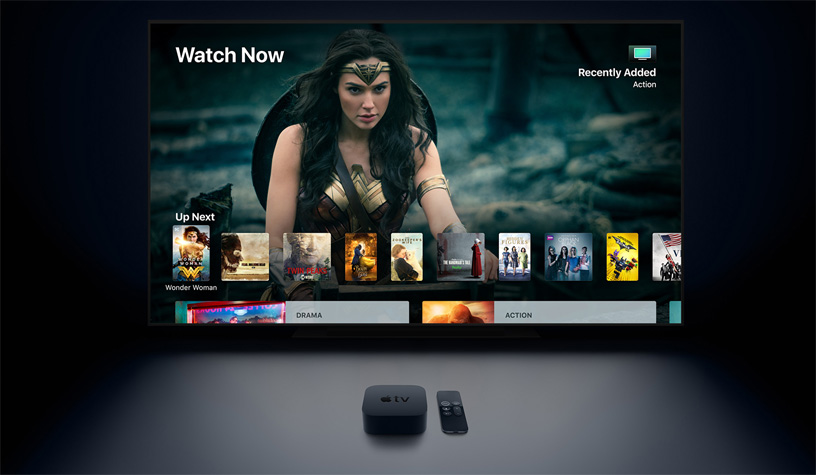
Tuesday night was a mess. I sat down around 8 PM, ready to decompress after a long day of debugging code that I probably should have scrapped a week ago. I grabbed the Siri remote—which I still lose in the couch cushions at least twice a week, by the way—and clicked on the TV app.
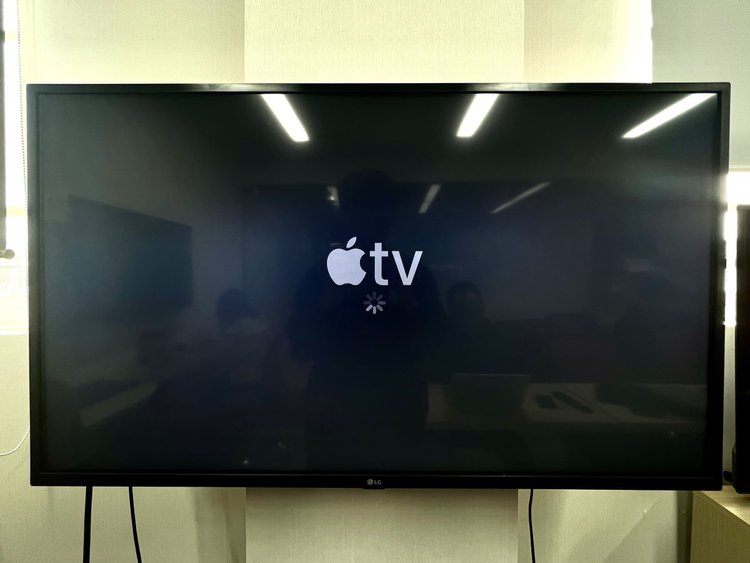
Spinning wheel.
Okay, fine. It happens. I force-quit the app. Relaunched. Spinning wheel again. Then, the dreaded “Content Unavailable” message.
My first instinct, naturally, was to blame my ISP. I spent ten minutes rebooting my router, checking my fiber connection, and running speed tests on my phone. The numbers were solid. 900 Mbps down. So why was my Apple TV acting like a glorified paperweight?
Turns out, I wasn’t alone. While I was crawling under my desk to check ethernet cables, half the world was screaming into the void because Apple’s identity services decided to take an unscheduled nap.
The Status Page Gaslight
Here’s what really grinds my gears about Tuesday’s outage. It’s not that servers went down. Computers break. Entropy comes for us all. I get it. I work in tech; I know how fragile these systems actually are under the hood.
No, what made me want to throw the remote through the screen was the System Status page.
At 8:45 PM, while Twitter was absolutely melting down with reports of the App Store and Apple TV+ being dead in the water, Apple’s status page was a sea of green bubbles. “All Systems Operational.”
Lies.
It took them nearly two hours to update the status to “Issues.” By then, I’d already wasted forty-five minutes troubleshooting a problem that wasn’t on my end. This lag in communication is inexcusable in 2026. If your auth servers are throwing 500 errors, your status page should reflect that automatically. We shouldn’t have to rely on Downdetector to figure out if the problem is local or global.
Why does a local app need to phone home?
This is the technical bit that worries me. It wasn’t just streaming video that failed. I tried to launch a game I bought three years ago. It wouldn’t open. I tried to open a third-party utility app. It crashed on launch.
Why?
Because of how modern app receipt validation works. When you launch an app on tvOS, the system often does a quick handshake with the App Store to verify the license. Usually, this is invisible. It takes milliseconds. But when the storekit daemon can’t reach the server, or the server hangs instead of rejecting the connection, the app hangs too.
We have built a system where local software—bits stored on the flash storage soldered to the motherboard in my living room—cannot function without a permission slip from a server in Cupertino. That is a fundamental architecture failure.
If I buy a piece of software, it should run offline. Period. The fact that an outage on Apple’s side can lock me out of third-party apps that don’t even use the internet for their core functionality is absurd. It highlights just how little control we actually have over these black boxes we invite into our homes.
The “Offline” Fallacy

I eventually gave up on streaming and decided to watch a movie I had downloaded to my iPad earlier. I figured I’d just AirPlay it to the TV. Local network, right? Should be fine.
Nope.
Because the Apple TV couldn’t authenticate my Apple ID due to the outage, the handshake failed. The box wouldn’t accept the AirPlay stream because it couldn’t verify DRM keys. I was sitting three feet away from the TV, holding the file on a tablet, and I couldn’t put the picture on the screen because a server three thousand miles away was having a bad day.
This is the fragility of the ecosystem we’ve bought into. We trade convenience for control, and most days, the trade feels worth it. Everything just works. Until it doesn’t. And when it doesn’t, you realize you don’t actually own anything. You’re just renting functionality on a minute-by-minute basis.
What needs to change
I’m not expecting Apple to open source tvOS or let me sideload apps without a developer account (though that would be nice). But we need better fail-safes.
1. Aggressive Caching for Auth: If the device can’t reach the App Store server, it should default to the last known valid state, not lock everything down. If I was valid yesterday, let me in today. Don’t block the launch.
2. Honest Status Indicators: Build a status checker into the OS. If a request fails, tell me “Apple Services are unreachable.” Don’t just spin a wheel and let me think my WiFi is broken.
3. Local Fallback for AirPlay: Peer-to-peer AirPlay exists, but it still relies too heavily on cloud identity checks. If devices are on the same trusted LAN, let the stream flow.
Tuesday was a wake-up call. I spent the rest of the night reading a physical book. It didn’t crash, didn’t need an update, and didn’t ask for a password. Imagine that.
Everything is back up now, obviously. The green bubbles are actually true today. But next time you see that spinning wheel, don’t rush to reboot your router. It’s probably just the cloud reminding you who’s really in charge.
FAQ
Why did my Apple TV apps stop working during the Apple outage on Tuesday?
Apple’s identity services went down, which broke the storekit handshake that tvOS uses to validate app licenses on launch. Even locally installed apps and games purchased years ago wouldn’t open because the system couldn’t reach the App Store to verify the receipt, or the server hung instead of rejecting the request, causing the app launch to hang with it.
Why was Apple’s System Status page showing all systems operational during the outage?
Apple’s status page lagged behind reality. At 8:45 PM, while Twitter and Downdetector were flooded with reports of App Store and Apple TV+ failures, the status page still displayed green bubbles reading “All Systems Operational.” It took nearly two hours before Apple updated the page to “Issues,” leaving users troubleshooting their own networks for problems that weren’t local.
Why won’t AirPlay work from iPad to Apple TV when Apple servers are down?
AirPlay relies on cloud identity checks even on a local network. During the outage, the Apple TV couldn’t authenticate the Apple ID or verify DRM keys with Apple’s servers, so the handshake failed. A downloaded movie on an iPad sitting three feet from the TV couldn’t be streamed because a Cupertino server was unreachable, despite both devices being on the same LAN.
How could Apple prevent app outages from locking users out of their devices?
The article suggests three fixes: aggressive caching for authentication, so devices default to the last known valid license state when servers are unreachable; honest status indicators built into the OS that say “Apple Services are unreachable” instead of just spinning a wheel; and true local fallback for AirPlay, letting streams flow between devices on a trusted LAN without cloud identity checks.