
Introduction
In the fast-paced world of mobile technology, few utilities are as essential as digital mapping. For years, the battle for dominance in navigation has been waged primarily between Apple Maps and Google Maps, with each platform striving to offer the most seamless user experience within the Apple ecosystem. Recent developments in iOS updates news highlight a significant quality-of-life improvement for iPhone users who rely on Google’s mapping infrastructure: the introduction of automatic parking location saving and the ability to customize vehicle icons.
For decades, the concept of personal navigation has evolved from paper maps to standalone GPS units, and finally to the sophisticated smartphones we carry today. The anxiety of forgetting where one parked their vehicle in a sprawling shopping mall lot or a dense urban center is a universal experience. While Apple Maps has offered a “Parked Car” feature for some time, Google Maps is now aggressively closing the feature gap on iOS, leveraging the device’s sensors and connectivity to automate this process. This update represents more than just a convenience; it is a testament to the increasing interoperability of third-party applications with iOS core services, ensuring that users have access to premium features regardless of their preferred navigation platform.
This article delves deep into the mechanics of this new feature, its implications for iPhone news followers, and how it stacks up against native solutions and hardware alternatives like AirTags. We will also explore the broader context of location technology, touching upon everything from Apple privacy news to the future of augmented reality in navigation.
Section 1: The Mechanics of Automatic Parking Detection
How the Technology Works
The core of this new functionality lies in the intelligent utilization of the iPhone’s sensor suite. Historically, saving a parking location on Google Maps for iOS was a manual process. A user had to tap the blue location dot and select “Save parking.” While effective, it relied on the user remembering to perform the action—a step often forgotten in the rush of exiting a vehicle.
The new automatic system mirrors the native functionality found in Apple Maps. It operates by monitoring the connection status of the device. When an iPhone disconnects from a vehicle’s Bluetooth system or Apple CarPlay, the app infers that the journey has ended and the car is parked. This triggers a background process that drops a pin at the current GPS coordinates. This seamless integration is a staple of modern Apple accessories news, where software and hardware communicate to anticipate user needs.
Visual Customization and User Interface
Beyond the functional utility of saving a location, the update introduces a layer of personalization previously absent. Users can now select custom icons to represent their vehicle. This might seem like a cosmetic update, but in the realm of User Interface (UI) design, visual distinctiveness improves usability. Being able to glance at a map and see a specific car icon rather than a generic pin reduces cognitive load.
This move towards customization aligns with broader trends in iOS updates news, where Apple has increasingly allowed users to personalize their lock screens and home screens. Google adopting a similar philosophy for its iOS app ensures that the experience feels native and integrated, rather than utilitarian and foreign.
The Role of Core Motion and GPS
For users without Bluetooth-enabled vehicles, the technology relies on Core Motion data. The accelerometer and gyroscope in the iPhone can detect the transition from driving speeds to walking movements. This heuristic approach ensures that even those driving older vehicles—perhaps listening to music via an aux cord reminiscent of iPod Classic news discussions—can still benefit from modern tracking features. It is a bridge between legacy automotive technology and cutting-edge mobile software.
Section 2: Ecosystem Integration and Comparative Analysis
Google Maps vs. Apple Maps
The rivalry between these two giants drives innovation. Apple Maps has long held the advantage of system-level integration. Its “Parked Car” feature is deeply woven into Siri and the widget system. However, Google Maps holds a significant market share due to its robust point-of-interest data and traffic algorithms. By adding automatic parking saves, Google removes one of the few remaining friction points that kept users toggling between apps.
From the perspective of Apple ecosystem news, this is a win for the consumer. It forces Apple to refine its own offerings, perhaps pushing for even more precise location tracking in future iOS iterations. For instance, while Apple Maps is excellent, Google’s integration of “Street View” to help locate a parked car visually offers a different layer of utility.
Privacy and Security Implications
With any feature that tracks location automatically, Apple privacy news and iOS security news become relevant. Users are increasingly conscious of when and how their location data is harvested. Google’s implementation on iOS must adhere to Apple’s strict App Store guidelines regarding background location usage.
Users must grant “Always” or “While Using” location permissions for this feature to work effectively. This trade-off between convenience and privacy is a central debate in the tech community. Unlike the offline nature of devices discussed in iPod Nano news or iPod Shuffle news archives, modern smartphones are constantly communicating. Users should be aware that enabling automatic parking detection increases the data points Google collects regarding travel habits.
Wearables and the Extension of the Screen
The utility of parking detection extends to the wrist. Apple Watch news frequently highlights the convenience of turn-by-turn navigation. With Google Maps parking data syncing across devices, a user can glance at their Apple Watch to find their way back to their vehicle without ever pulling their phone out of their pocket. This seamless handoff is crucial for the “glanceability” factor that defines successful wearable software.
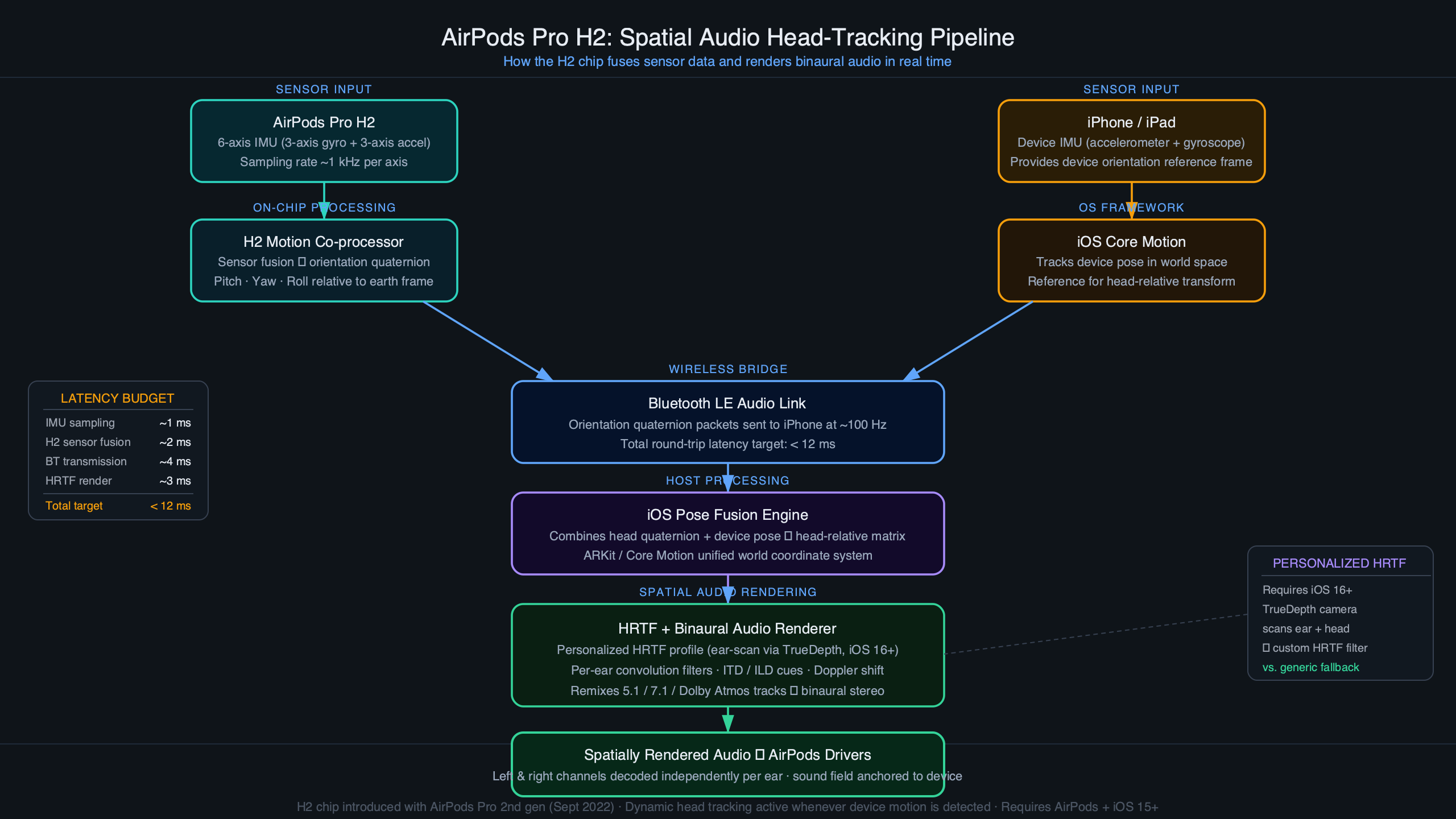
Furthermore, for those invested in audio, AirPods news and AirPods Pro news suggest that future updates could include spatial audio cues to guide users to their parked location, creating an auditory pathfinding experience that complements the visual map.
Section 3: Beyond Software – Hardware and Future Tech
The AirTag Alternative
While software solutions are powerful, hardware solutions provide a different level of reliability. AirTag news has dominated the tracking conversation since the accessory’s release. An AirTag left in a car utilizes the vast “Find My” network, which is independent of the user’s own GPS signal at the moment of parking. This is particularly useful in underground garages where GPS signals fail—a scenario where Google Maps’ last-known-location feature might struggle.
The ideal setup for the hyper-cautious user involves redundancy: using Google Maps for the automatic “last known location” log and an AirTag for precision finding via Ultra-Wideband (UWB) technology. This combination represents the pinnacle of Apple accessories news integration.
Augmented Reality and the Vision Pro
Looking toward the future, Apple Vision Pro news and Apple AR news suggest that finding a parked car will eventually move from a 2D map to a 3D augmented reality experience. Imagine wearing a headset or smart glasses that overlay a path on the real world, leading directly to your vehicle.
While we are currently discussing phone-based updates, the underlying data—GPS coordinates and visual markers—is what will power future AR experiences. Vision Pro accessories news might one day include vehicle integration kits that communicate directly with the headset. Even the concept of Vision Pro wand news (referring to potential control peripherals) could involve gesturing to summon a vehicle or mark a location in 3D space.
The iPad as a Planning Hub
While one rarely navigates a parking lot with a tablet, iPad news is relevant for the planning phase. Users often research destinations and parking availability on the larger screen of an iPad before leaving. The synchronization of Google accounts means that a parking destination researched on an iPad can seamlessly transition to the iPhone for navigation, and eventually result in an automatic parking pin upon arrival.
This cross-device continuity is also vital for iPad vision board news enthusiasts who plan road trips visually; the practical execution of those plans relies on the robust navigation updates we are seeing today.
Section 4: Practical Application and Best Practices
Setting Up Automatic Parking
To ensure this feature works correctly on iOS, users need to verify several settings. This is a common troubleshooting step found in iPhone news forums:
- Location Services: Ensure Google Maps has permission to access location “Always” or “While Using the App.” Without this, background detection of parking is impossible.
- Bluetooth/CarPlay: The most reliable trigger is the disconnection from a car’s head unit. Ensure your phone is paired correctly.
- Notifications: Enabling notifications allows the app to confirm when a parking location has been saved, providing peace of mind.
Common Pitfalls
The technology isn’t flawless. In multi-story parking garages, GPS altitude data is often unreliable. A pin might show the correct latitude and longitude but fail to indicate that the car is on the 4th floor. In these instances, the “Notes” feature within the parking save is essential. Users should get in the habit of adding a quick note (e.g., “Level 4, Section B”) or a photo.
Additionally, battery drain is a concern. Continuous background monitoring can impact battery life, a topic frequently covered in iPod Touch news and iPhone discussions. Users with older devices may need to weigh the convenience against the potential reduction in daily battery longevity.
The Nostalgia Factor: From iPod to iPhone
Reflecting on the journey of Apple devices, there is a stark contrast between the simplicity of the past and the complexity of the present. iPod Mini news and iPod revival news often focus on the desire for distraction-free devices. The modern iPhone, conversely, is a hub of constant information. While features like automatic parking detection add convenience, they also contribute to the device’s role as an indispensable, always-on assistant.
Interestingly, we are seeing a convergence where even home devices play a role. HomePod news and HomePod mini news highlight Siri’s ability to answer questions like “How long will it take to drive to work?” Integrating parking data means you could theoretically ask your smart speaker, “Where did I leave the car?” if the data ecosystem is fully bridged in the future.
Conclusion
The introduction of automatic parking location saving and custom icons in Google Maps for iOS is a significant step forward in the competitive landscape of mobile navigation. It addresses a specific, high-frequency pain point for users and brings the Google Maps experience on iPhone closer to feature parity with its Android counterpart and Apple’s native Maps app.
For the consumer, this update underscores the importance of the Apple ecosystem news cycle—where competition drives better features for everyone. Whether you are tracking your location via Apple Watch news updates, relying on Siri news for voice commands, or using AirTag news for precision finding, the toolkit for managing our daily mobility has never been more robust.
As we look forward to future innovations in Apple health news (perhaps tracking stress levels during traffic) or Apple TV marketing news (showcasing these seamless integrations), one thing remains clear: our devices are becoming increasingly proactive. They no longer just react to our inputs; they anticipate our needs, saving our parking spots before we even realize we might forget them.